

WhatsApp Auto-Replies for UK Salons and Clinics That Still Feel Personal
WhatsApp auto-replies for UK salons and clinics that still feel personal acknowledge the client, make the next step clear and leave room for a human response. Use the right message at the right moment, and you can guide an enquiry towards an appointment without sounding cold or promising what your team cannot deliver.
Key Takeaways
- Address the person, ask for one useful detail and explain what happens next.
- Give a realistic response time in greeting, busy-period and away messages.
- Use a booking link when clients can choose a suitable service and time themselves.
- For several staff members, BryteChat offers a shared WhatsApp inbox and CRM pipeline to help keep message ownership visible.
- Keep automated clinic messages away from detailed health questions, and include an urgent-care route.
- Find more ideas for businesses building better customer conversations when you want to improve the wider client conversation.
Make every reply warm, clear and useful
Start with your business name, a natural greeting and a short acknowledgement. A client who sees that you have recognised their message is less likely to feel they have received a generic notice sent to everyone.
Ask only for the detail you need to move the enquiry forward. Replace a vague “How can we help?” with a focused prompt such as, “Which treatment are you interested in, and what days suit you?”
Write separate wording for first-time and returning clients. For example, welcome a new client and ask which service they are considering; greet a returning client by name and ask whether they want to rebook or discuss something different.
Give clients a simple route if they need an accessibility adjustment or are unsure which service to book. Ask what would make booking easier, then tell them who will help and when they can expect a response.
First enquiry: Hello, you’ve reached [business name]. Thanks for getting in touch. Which treatment are you interested in, and what days suit you?
Returning client: Hi [name], lovely to hear from you again. Would you like to rebook your usual service or ask us about something different?
Suggested replies are editable drafts available today in early access, with smarter AI replies on the way, according to BryteChat’s product roadmap. They suit a personal service because your team can review and tailor the wording before sending it.
Use the right message for each moment
A first-contact reply should acknowledge the enquiry, ask for one helpful detail and set an expectation. This example gives a new client a clear way to continue:
Thanks for getting in touch with [business name]. What service are you looking for? We’ll reply during [opening hours].
For an after-hours message, state when you next open and when the client can realistically expect a reply. If your online booking route works without staff help, include it so the client can choose a suitable appointment straight away.
Thanks for your message. We’re closed now and reopen at [time]. We’ll get back to you by [time or day]. If you’re ready to book, choose an available appointment here: [booking link].
When your team is with a client or patient, say so briefly and name a response window you can meet. “We’re helping clients at the moment and will get back to you by [time]” is more useful than a vague acknowledgement. If capacity changes, update the expectation rather than leaving clients waiting.
Clinics should state when WhatsApp messages are checked and make clear that the channel is not monitored for urgent care. That boundary helps clients choose a suitable route instead of waiting for a chat response when they need immediate help.
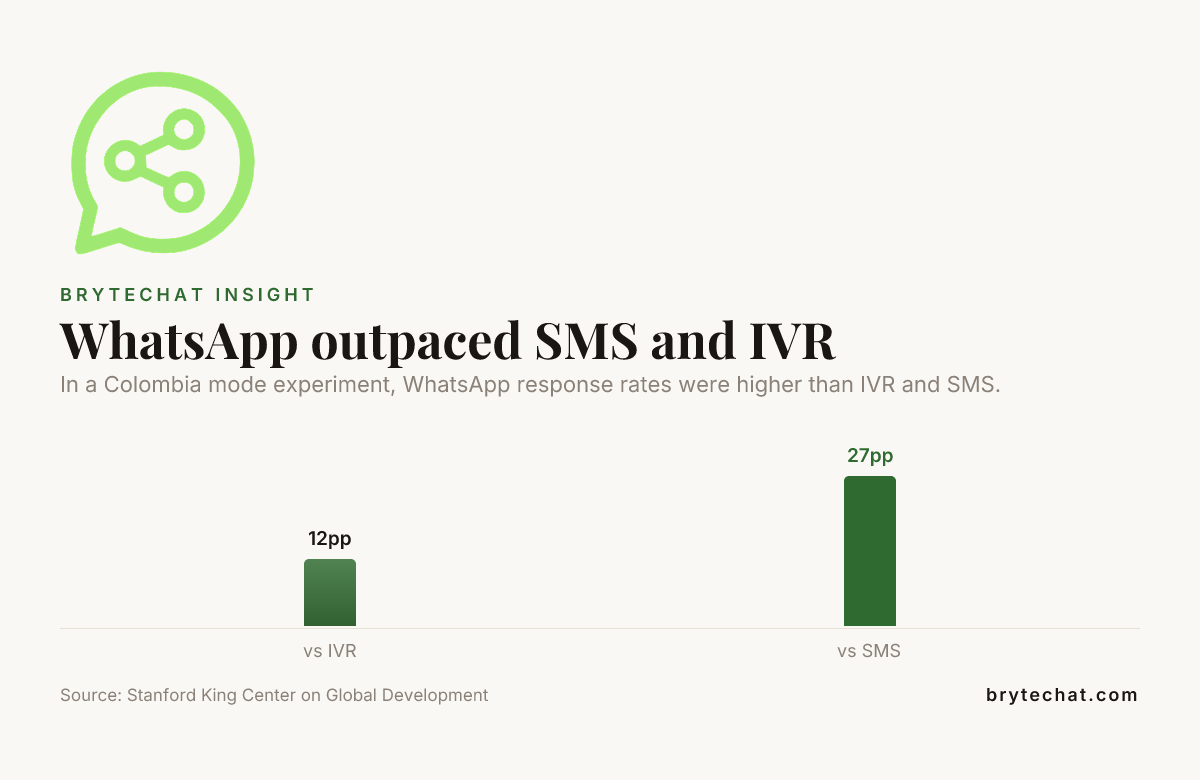
In a Colombia mode experiment.
Source: Stanford King Center on Global Development
This chart reports a Colombia mode experiment, so treat it as context about channel choice rather than a forecast for UK salons or clinics. Response rates in that setting do not establish what your clients will do; compare your own enquiries and booking outcomes across the channels you use.
Turn enquiries into bookings without guessing
Use a booking link when clients can confidently choose the service and time themselves. If a staff member needs to assess the request first, ask for a small, structured set of details, such as the service they want and their preferred days.
A WhatsApp Link-to-Chat Builder creates a click-to-chat link with an optional pre-filled message. Add a prompt that helps clients start with useful information, such as the treatment they are interested in.
For a reschedule request, direct the client to your booking system or ask for their appointment date and preferred alternative times. Make clear that the change is not confirmed until your system or team completes it.
Keep answers about services, prices and location short and consistent with the information your team currently uses. If availability is not live, say you will check rather than implying a slot is open.
We can check that for you. Please send your name, the service you’re looking for and the days that suit you. We’ll confirm the available options by [time].
If your booking link or system is unavailable, give clients a fallback: ask for their name and preferred days, then explain when your team will respond. WhatsApp auto-replies work best when they keep the enquiry moving without pretending to confirm an appointment.

Did You Know?
According to various studies, no-shows account for approximately 10% of all medical appointments.
Source: Ostadmohammadi et al., BMC Health Services Research
Set up greetings, away messages and quick replies
Yes. WhatsApp Business can automatically send greeting and away messages: a greeting acknowledges first contact, while an away message explains when your business is unavailable. Write them to match how your team actually handles enquiries.
A saved quick reply is a staff-triggered shortcut: a person chooses it, reviews it and sends it. An automatic reply sends without someone selecting each response, while a chatbot can guide a client through a more involved scripted exchange.
Keep any automated exchange simple. Route requests that need judgement to a person, and do not automate a consultation or tell a client that a complex question has been resolved when a practitioner has not reviewed it.
For a solo business, basic greetings, away messages and quick replies may be enough. If several people or locations need to share conversations, choose a setup that supports the handoffs and workflow your team needs.
BryteChat is a WhatsApp inbox and CRM for local businesses, with a shared team inbox, CRM pipeline, contacts, suggested reply drafts and automations. That combination helps salon and clinic teams keep messages in one place instead of losing visibility across personal phones.
For a closer look at a WhatsApp inbox built for local businesses, map how an enquiry moves from first reply to booking and follow-up, then check that the next owner is visible. Choose a workflow that leaves clinical judgement with a person.
Protect privacy and handle clinic messages safely
Do not ask clients to describe detailed symptoms in an automated clinic reply. Offer a private route to the appropriate qualified person, and collect only the information needed to arrange that conversation.
State the urgent-care route plainly: WhatsApp is not an emergency service. Anyone in immediate danger should contact emergency services; for urgent medical advice that is not an emergency, direct them to an appropriate urgent-care service.
Keep necessary appointment communications focused on the booking. Treat promotional follow-ups separately, consider UK GDPR and direct-marketing rules, obtain appropriate consent for marketing and make opting out easy.
Limit each automated message to information the recipient needs. Avoid including sensitive health details in a notification or promotional message, where other people could see the contents on a device screen.
Connect auto-replies to confirmations and human follow-up
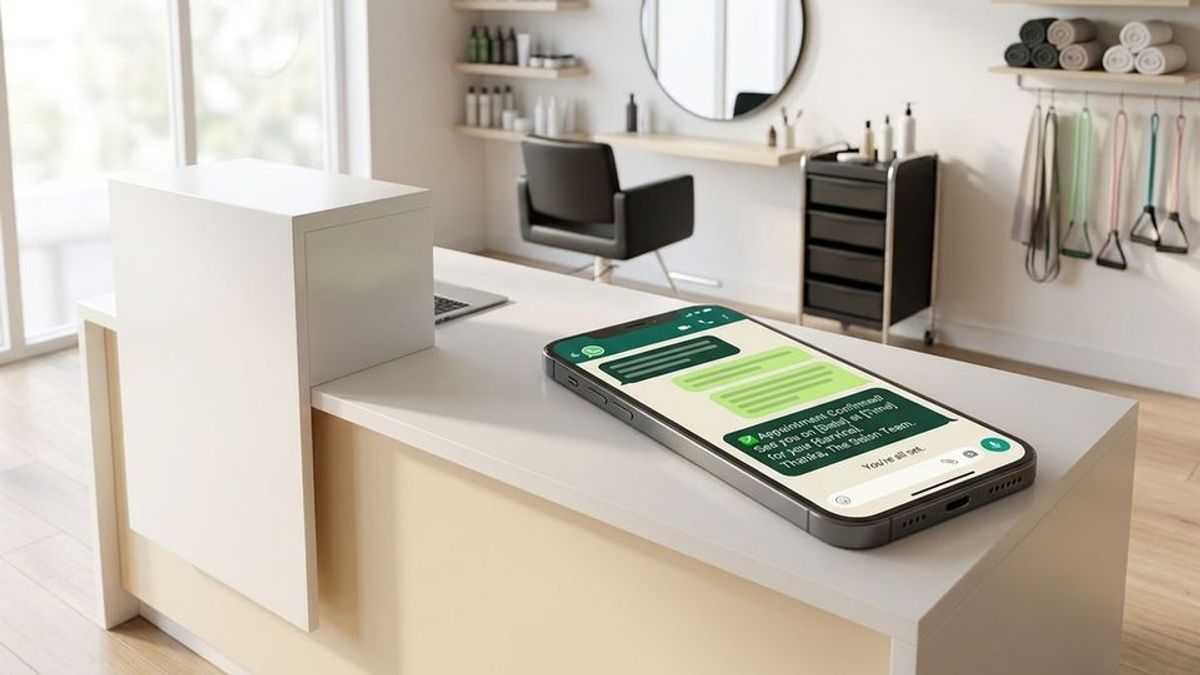
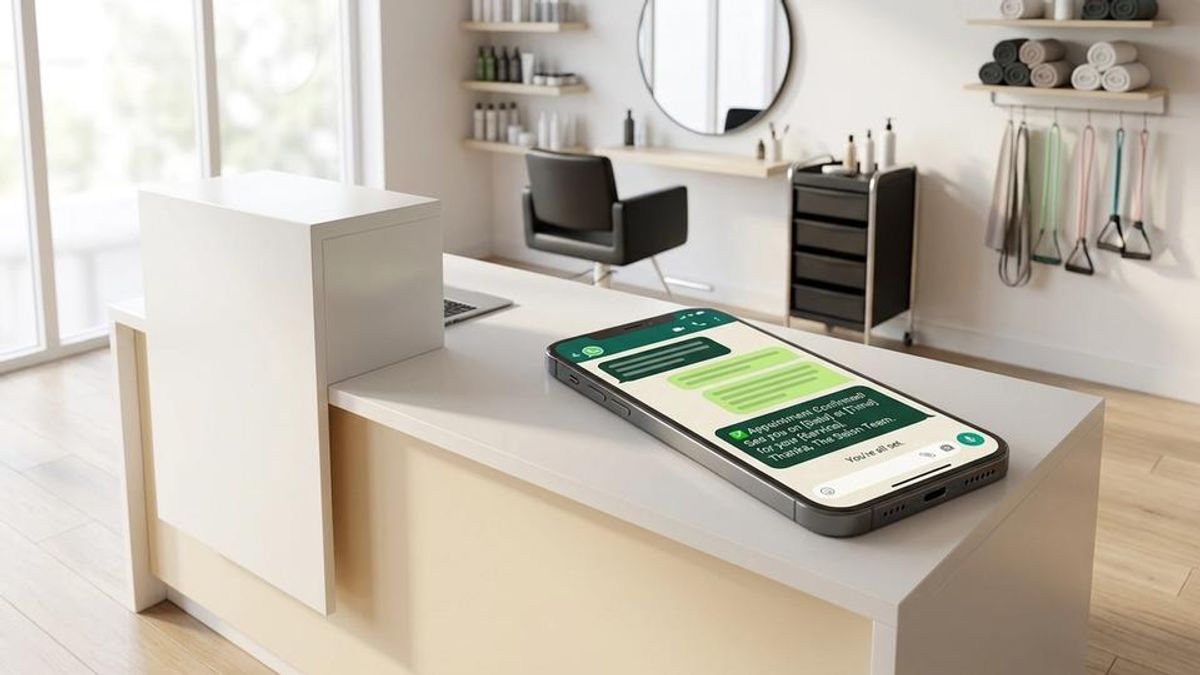
An initial enquiry reply is not a booking confirmation. Send a confirmation only after the appointment is actually booked, then use appointment reminders and rebooking messages in line with the client’s preferences and consent.
Hand the conversation to a person when it involves a complaint, an unusual request, uncertainty about the right service or a question that needs clinical judgement. Tell clients how to reach a person, and route the chat to the right practitioner or team where possible so they do not have to repeat their story.
A shared team inbox makes ownership and follow-up easier to see. BryteChat combines that inbox with a CRM pipeline; its suggested replies are editable drafts in early access, so staff review and send them rather than having them auto-send.
Did You Know?
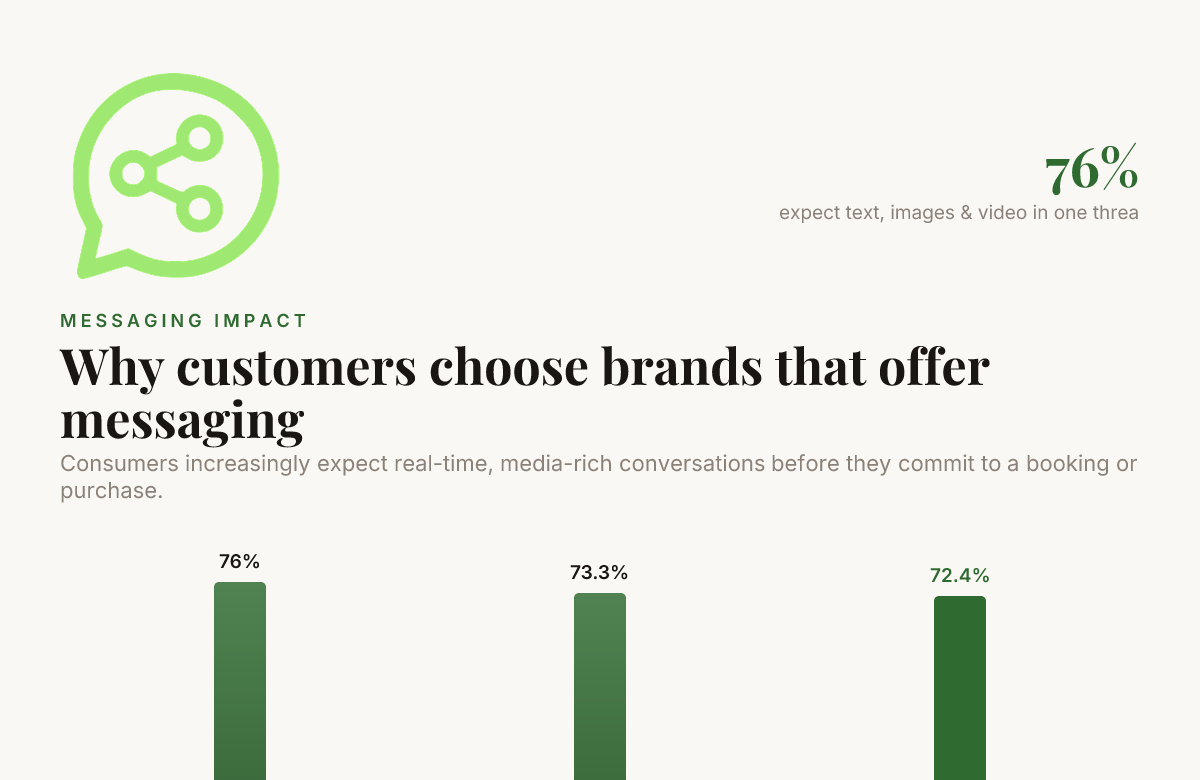
WhatsApp had a 12 and 27 percentage points higher response rate than IVR and SMS, respectively, in the mode experiment in Colombia.
Source: Stanford King Center on Global Development
Keep your messages accurate as the business changes
Review your opening hours, service descriptions, prices, location details and booking links whenever they change. Remove seasonal offers as soon as they expire, so an old automated reply does not send clients towards an option you no longer provide.
Set response-time expectations around real team capacity. If you cannot meet the window you gave, update the message with a fresh expectation instead of leaving clients to guess whether anyone has seen their enquiry.
Test greeting and away messages from a client’s perspective, including outside opening hours. Check that the next step is easy to understand and that the fallback still works if a booking link fails.
Review reminders and promotional follow-ups for relevance and appropriate authorisation. Avoid sending repeated messages when a client has not engaged; a useful message should help the client, not create noise.
Conclusion
Personal WhatsApp auto-replies do more than acknowledge a message. They ask for the right detail, set a response expectation and guide clients to booking or a human conversation without inventing availability or crossing clinic privacy boundaries.
Write and test messages around the way your salon or clinic actually works. WhatsApp auto-replies for UK salons and clinics that still feel personal keep the next step clear while leaving people in control of the conversations that need care.
Frequently Asked Questions
Can you put an automatic reply on personal WhatsApp?
No. The standard personal WhatsApp app does not include built-in greeting or away auto-replies. For automatic business messages, use the WhatsApp Business app; quick replies still need a person to select and send them.
Does WhatsApp Business send an automatic reply if the business phone is offline?
If urgent service information must reach a client, use a separate direct contact route rather than relying on an automatic reply.
Can a salon or clinic use different auto-replies for different practitioners or branches?
Yes, but the setup needs to distinguish the conversations, for example through separate business numbers or a WhatsApp Business Platform workflow configured for each location or team. Decide who owns each incoming chat before you switch on several reply routes.
Can a WhatsApp auto-reply be written in more than one language?
Yes. You can prepare separate versions of a message in the languages your clients use, then choose a clear way for clients to identify their preferred language, such as a menu prompt or separate contact route.
What should a business do if a client replies to an away message with a new question?
Read the full conversation when the team returns and respond to the latest question, rather than sending the same away notice as if the client had not replied. If the delay has extended beyond the original expectation, give the client an updated time for a proper answer.
What is the best WhatsApp automatic reply app?
For a solo business, WhatsApp Business app is usually enough; teams needing shared ownership, routing or CRM should compare shared inbox and WhatsApp Business Platform setups, then test one with a sample enquiry.
Can you provide some examples of WhatsApp Business auto replies?
“Thanks for your message. Please tell us which service you’re interested in, and we’ll reply during [opening hours].”