


How UK restaurants use WhatsApp for reservations and waitlists
How UK restaurants use WhatsApp for reservations and waitlists comes down to one essential rule: make it easy for guests to message you, then check every request against the live table plan before confirming. Use clear updates, one reliable booking record and a named inbox owner to keep guest conversations moving through busy shifts.
Key Takeaways
- Capture booking requests consistently. Ask for the guest’s name, party size, preferred date and time, and a contact method for updates.
- Check the floor plan before confirming. Account for table capacity, booking duration and the time your team needs to reset a table.
- Keep bookings in one operational record. A WhatsApp conversation is not a substitute for the reservation record used for calls and website bookings.
- Give waitlist guests useful updates. Explain that wait estimates can change, and set a clear reply window when a table becomes available.
- Assign inbox ownership. Agree who monitors WhatsApp during each shift and who takes over when that person is unavailable.
- Keep guest information private. Collect only what you need, limit access and separate booking messages from marketing.
- Compare messaging tools with your booking workflow. BryteChat’s WhatsApp inbox and CRM overview explains its team inbox and contact-management approach. Browse practical WhatsApp guidance for businesses for related messaging topics.
Make WhatsApp an easy way to request a table
Give guests a clear route into your restaurant reservation process. Add a click-to-chat link to your website or social profiles, with a pre-filled prompt that asks for the preferred date and time. Guests can start the conversation without having to work out what details to send first.
The WhatsApp Link-to-Chat Builder creates click-to-chat links using your restaurant’s phone number, with an optional pre-filled message. It suits restaurants that want a direct booking enquiry route without making guests search for the right number.
Ask for the same booking essentials in the same order each time:
- Guest name
- Party size
- Requested date and time
- A contact method for updates
Collect preferences only when they affect the booking, such as a seating request that changes which tables your team can offer. Keeping intake focused makes it easier to check availability and avoids collecting extra personal details without a clear purpose.
Reply with a clear next step, not an unverified promise. For example:
Thanks, we’re checking the table plan and will confirm shortly.
Confirm only after checking availability. Keep phone or another booking route available too, because not every guest can or wants to use WhatsApp.
Check every request against the live table plan
Before you confirm a WhatsApp booking, check the requested date and service, party size, table capacity and expected booking duration against your current floor plan. A table that appears free at the requested time may already be needed for another reservation later in the service.
Build your usual turnaround buffer into the decision. A gap between bookings is not automatically usable seating time: your team may need to clear, clean and reset the table before the next guests arrive.
Record confirmed WhatsApp bookings in the same reservation record you use for website and phone bookings. When a guest changes the time or party size, update that record straight away so staff do not work from conflicting versions.
Give larger parties and special seating requests a separate operational check. Confirm the arrangement with the team responsible for the floor before promising a table, since one request can affect the layout or service plan for the whole section.
This is how you keep WhatsApp bookings in sync with table availability: use the chat to gather the request, then use the booking record to decide, confirm and track the reservation. Avoid running a separate WhatsApp list that staff have to reconcile from memory.
Choose an inbox and booking workflow the team can manage
A single WhatsApp Business account can work for a small team. Set a clear owner for each shift, decide how staff hand over unanswered conversations and make sure the next person can see which requests still need a reply.
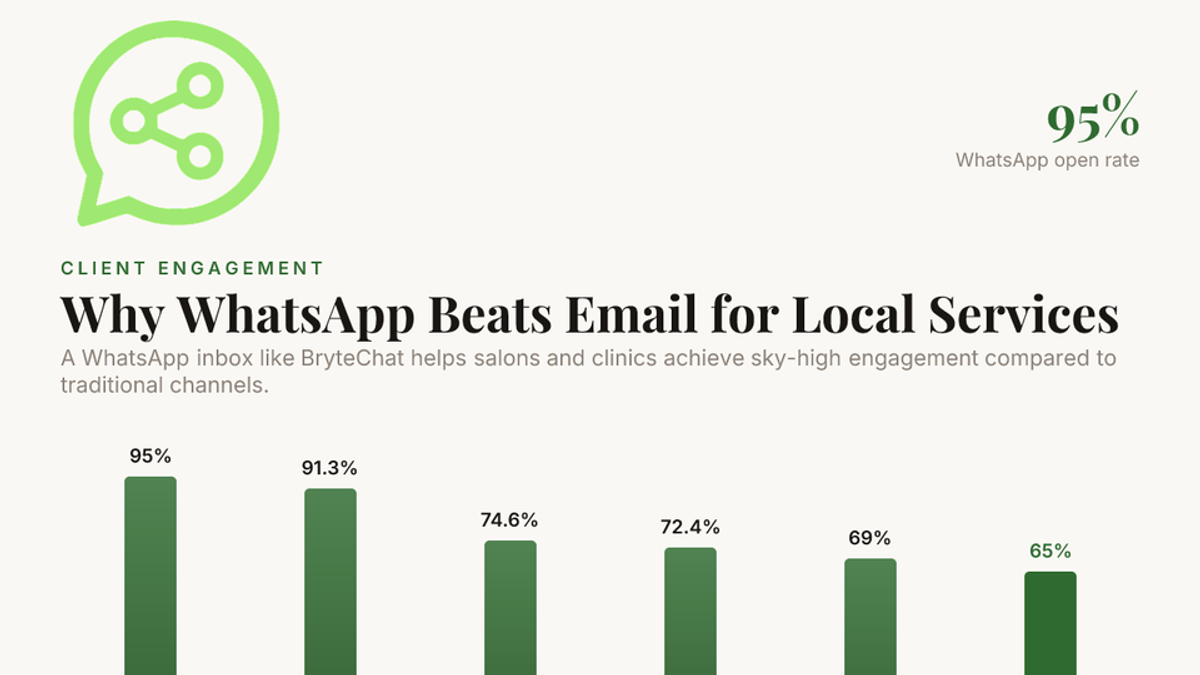
A shared inbox helps when several staff need access to conversation history, clear ownership and a consistent view of guest replies. BryteChat is a WhatsApp inbox and CRM for local businesses, with a shared team inbox, contacts, a CRM pipeline and suggested reply drafts. It suits teams that need shared visibility over guest conversations and contact follow-up.

A shared inbox is a messaging and contact-management layer. Treat it as separate from your booking system unless the two are connected; staff still need one operational record for confirmed reservations, edits and cancellations.
An integrated booking system is a better fit when you need WhatsApp, website bookings and phone reservations to feed into one table plan. Compare options by how they handle availability, changes and cancellations, not just how quickly they capture a new request.
The best reservation software for your restaurant depends on what needs fixing first: table availability and booking records, team messaging and handovers, or both. Choose a workflow that prevents separate records from drifting out of sync. A paper waitlist can work during a quiet service, while a digital one becomes more useful when several staff need to see updates and act on them at once.
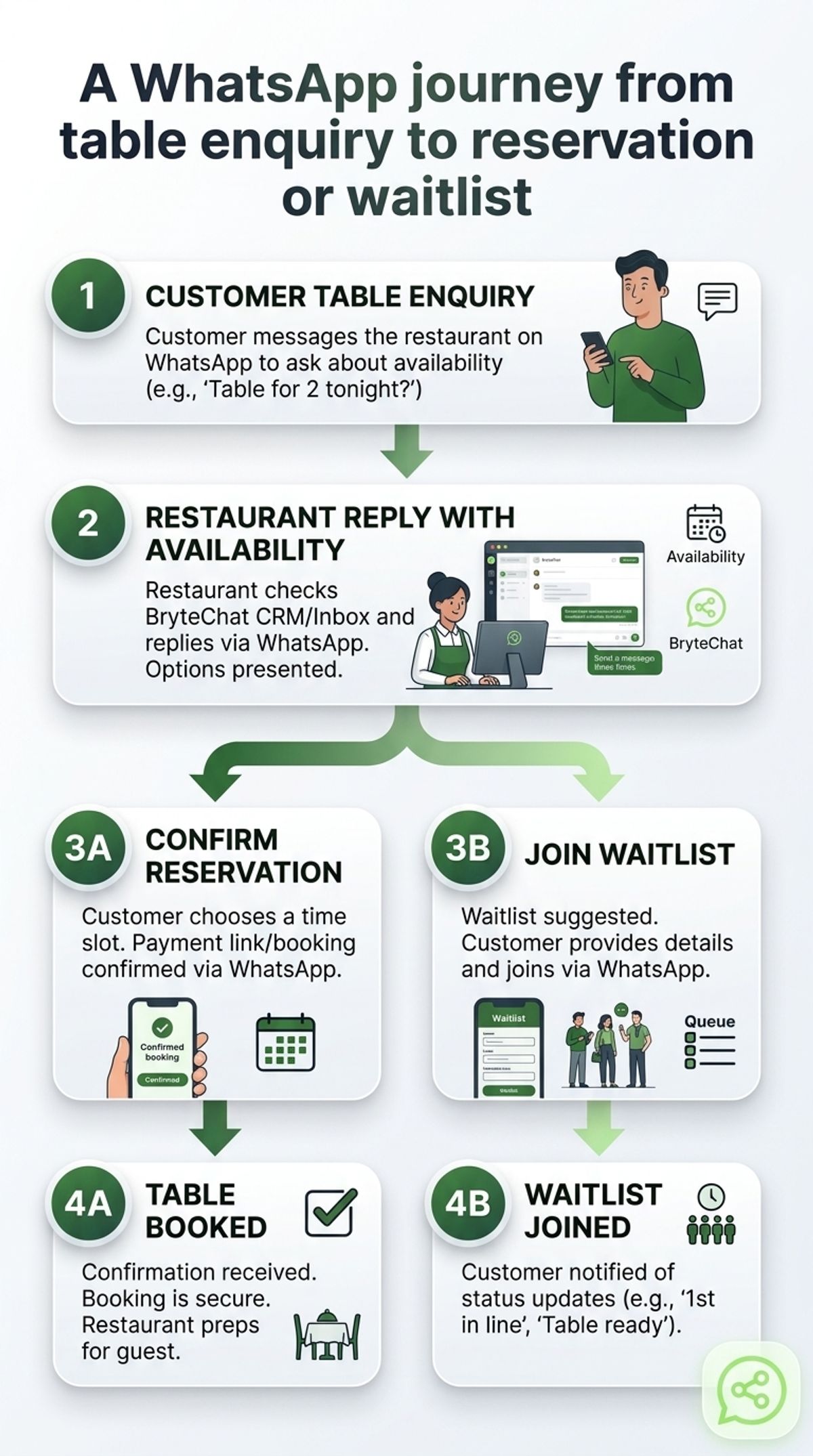
Run a waitlist with clear updates and seating offers
Log each restaurant waitlist guest’s name, party size, time added and preferred contact method. Mark whether the list covers walk-ins, advance requests or both, so staff know which guests to contact when a table opens.
Set expectations before adding a guest. Give a quoted wait time as an estimate, not a guarantee, and update people when the queue or table availability changes. An old estimate left uncorrected creates frustration and makes it harder for guests to decide whether to keep waiting.
Check the live floor plan before sending a seating alert. Tell the guest what table or time is available, how long they have to reply and what to do if they cannot accept the offer.
A table for two is ready now. Please reply YES within 10 minutes or call us on [number]; if we don’t hear from you, we’ll offer it to the next guest.
Set the reply window to suit the service and queue. Apply the same approach to advance requests: accept them only when staff can manage the list, and make clear that joining it does not confirm a reservation.
Handle changes, cancellations and missed replies promptly
When a guest asks to change a booking, repeat the revised date, time and party size. Check the table plan again, update the reservation record and then send written confirmation; that order prevents an unrecorded change from creating a conflicting booking.
For a cancellation, acknowledge the message and remove or amend the reservation in the shared record. Then check whether the newly available table suits someone on the waitlist and contact that guest with a specific offer.
Send a reservation reminder with the booking details and a simple way to confirm, amend or cancel. A reminder can prompt a response, but it cannot by itself prevent a no-show or refill a table that has been released.
If a guest does not reply to a booking or waitlist message, send one clear follow-up with the next step and a reasonable deadline. After that, apply the restaurant’s stated policy so staff handle similar cases consistently.
Use concise templates to speed up routine replies, but check the guest’s details and the live record before sending. A saved message should make the next action clear, not imply that an unverified table is confirmed.
Protect guest details in WhatsApp conversations
Tell guests why you collect their details and how you will use them to manage the booking or queue. Ask only for information that helps you provide the service, and keep preferences that affect seating separate from details collected for unrelated purposes.
Limit chat and booking-record access to staff who need it for their work. Agree who handles requests to amend or remove guest information, so the restaurant can respond consistently instead of leaving the task with whoever happens to see the message.
Set a retention schedule for conversations and booking records. Keep personal information only while you have a clear operational or legal reason to retain it, then remove it in line with your process.
Keep booking messages separate from marketing. A guest asking for a table has not, through that conversation alone, agreed to receive promotional messages; record marketing preferences separately and use them appropriately.
Read BryteChat’s GDPR and data protection information for details about its approach to data processing and individual data requests.
Plan for busy shifts, outages and guests who need another route
Assign inbox monitoring by shift and name a backup owner. When a staff member is away or pulled onto the floor, the backup can pick up unread requests instead of leaving guests waiting for the usual contact to return.
During a busy service, acknowledge the request and give a realistic reply time. Do not confirm a table before checking the floor, even when a quick answer would be easier in the moment.
Agree a fallback for connectivity problems. Record requests in the restaurant’s approved booking record, then reconcile any outstanding conversations when the connection returns so the table plan reflects the latest decisions.
Keep a phone or another non-WhatsApp route open. Send complex requests, including large parties and accessibility needs, to a staff member who can check what the restaurant can accommodate and reply with an accurate answer.
Frequently Asked Questions
Does England use WhatsApp?
Yes, people in England can use WhatsApp to message restaurants, and a restaurant can offer it as one way to request a table. Keep another contact route available for guests who do not use the app.
What is the 24-hour rule on WhatsApp?
Check WhatsApp’s current business messaging requirements before relying on a reply window.
Can a restaurant take a deposit through WhatsApp?
A restaurant can use WhatsApp to explain its deposit terms and send a secure payment link from its chosen payment provider. State the amount, what the deposit covers and the cancellation terms before asking the guest to pay.
How long should a guest have to accept a waitlist seating offer?
Choose a reply window that reflects how quickly the table needs to be filled and how far away the guest may be. Use a consistent policy for guests in similar circumstances, and explain what happens when the reply window closes.
Can guests join a restaurant waitlist before arriving?
Yes, a restaurant can accept advance waitlist requests when staff can manage them and the guest understands how the list works. Ask for an expected arrival time if it affects whether the restaurant can offer the table in time.
Can a restaurant use a WhatsApp group for its waitlist?
Use individual messages rather than adding waiting guests to a group chat. Group members can see other participants’ phone numbers and messages, which exposes personal details unnecessarily.
What are the best reservation software options for restaurants?
The best option depends on whether your main need is managing table availability and bookings, coordinating team messages, or bringing both into one workflow. Look for a system that keeps reservations, changes and cancellations in a single operational record and stays in sync with the live table plan.
Conclusion
How UK restaurants use WhatsApp for reservations and waitlists works best when the chat starts the conversation, while the live table plan and shared booking record control the decision. Set clear expectations, update guests promptly and give every shift an inbox owner and a fallback process.
Keep the workflow simple: capture the essentials, check availability, record the booking and send a clear confirmation. That gives your team a practical WhatsApp booking channel without losing control of the floor or guest communication.